1. Mode Selection and Character Creation
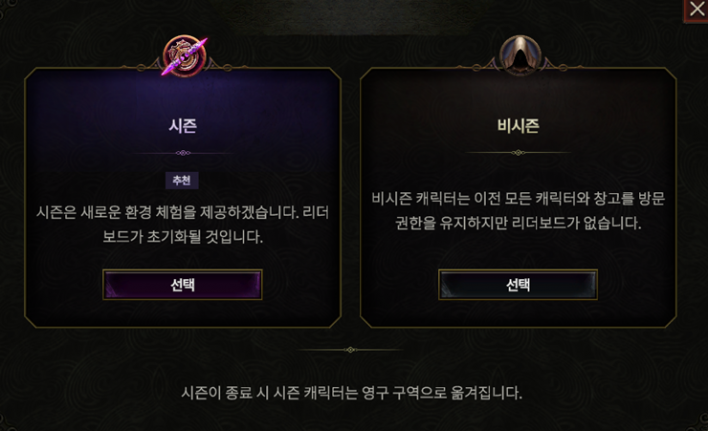
When you first click to create a character, you will choose between Seasonal and Legacy mode. Since Seasonal characters automatically convert to Legacy characters when the season ends anyway, there is no real reason for first-time players to select Legacy.
After selecting a class and creating a character, you can choose game modes and challenges on the left. In Last Epoch, dying with a Hardcore character does not permanently disable play; instead, the character is resurrected as a Normal mode character, so trying it out is not a bad idea. Challenges are handicap modes that restrict play, so beginners do not need to worry about them.
2. Classes and Masteries
Last Epoch features five base classes, and each class has three Mastery trees. In other words, there are 5 base classes and 15 Mastery classes. Each Mastery offers its own unique passive bonus, Mastery skills, and passive skills, and even within the same class, playstyles can vary significantly depending on which skill you specialize in.
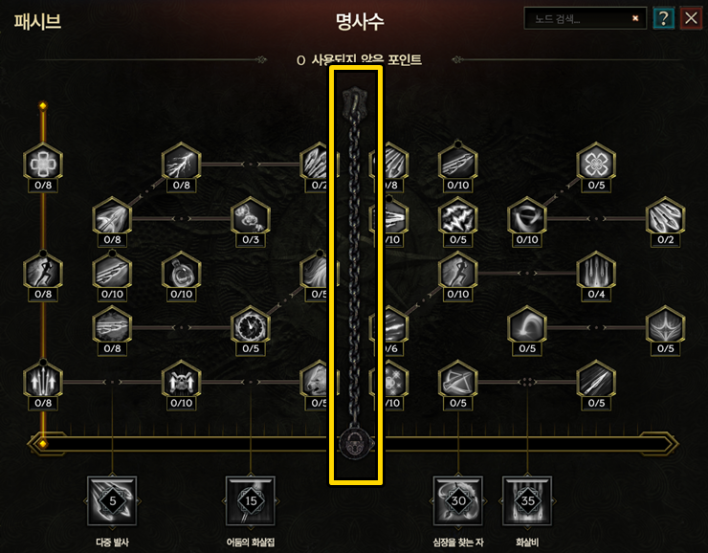
One unique aspect in Last Epoch is that you can still allocate points into passive skills (P) and learn skills from Masteries you didn't choose, up to a certain point. You can invest skill points up to the chain-locked section, so it is a good idea to check out the passive trees of other Masteries as well.
As of Season 1, once chosen, a Mastery could not be changed. However, you can now respec your Mastery at any time through an NPC at the "End of Time," so if your current pick doesn't suit you, switching early is recommended.
For a basic guide on all classes in Last Epoch, refer to the following article.
▶ Overview of Class Characteristics in Last Epoch
3. Skills and Specialization
In Last Epoch, you can use up to 5 skills at a time. Skills are unlocked either by leveling up your character or by investing passive skill points. Leveling up unlocks base skills for your base class at specific levels, while investing enough passive skill points into a specific tree grants additional skills.
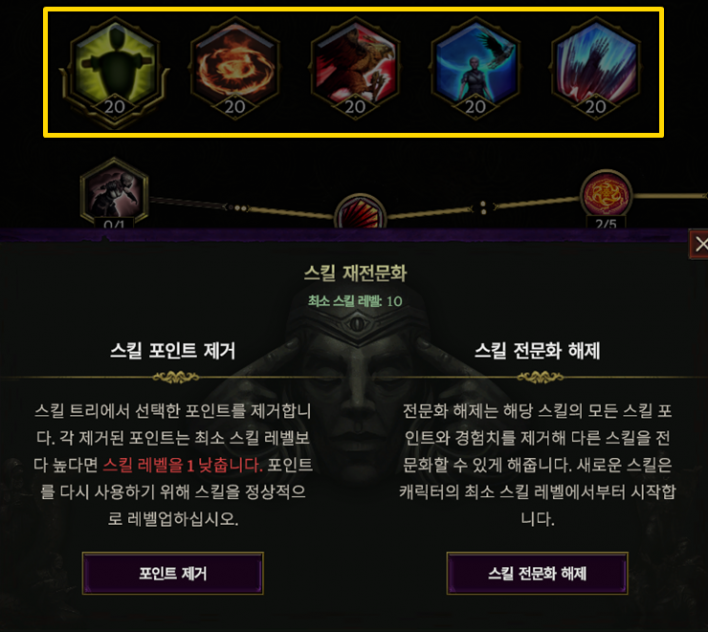
Another key feature to notice is the 5 slots at the top of the Skill menu (S). These slots are for "Skill Specialization." Skills equipped in these slots gain experience through gameplay and level up. Each level grants skill points to customize and evolve the skill in various directions. Each skill can reach up to level 20, and you can respec skill points or unspecialize a skill to equip a different one at any time.
However, unlike passive skills, removing specialization skill points does not immediately refund them. Lowering a skill level requires earning experience again, so caution is needed. If you unspecialize a skill entirely, the minimum skill level adjusts based on your character level, allowing you to start specialization with a few points already granted.
4. Item Structure
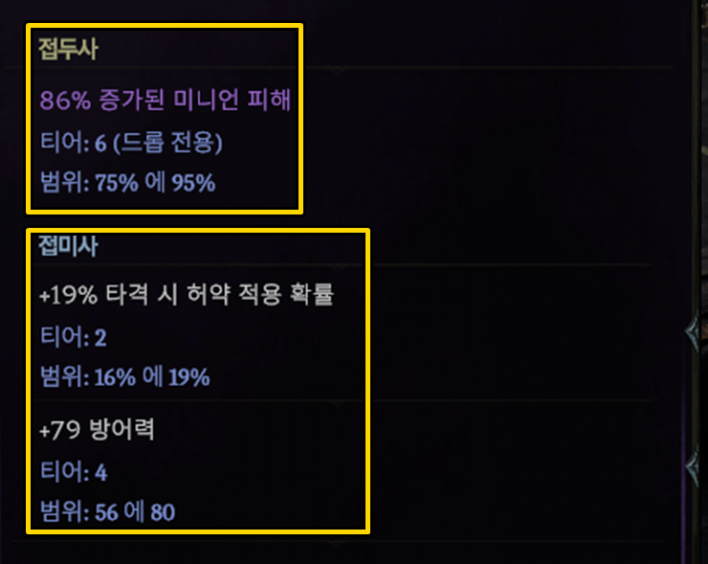
Last Epoch features items of various rarities, determined by an item's "affixes." An item's affixes consist of up to 2 prefixes and 2 suffixes, each with its own tier. Even items with the same base name can end up as lower or higher rarity depending on how many affixes they carry and how high those affix tiers are. Crafting can only upgrade affixes up to Tier 5; higher tiers must be obtained via drops.
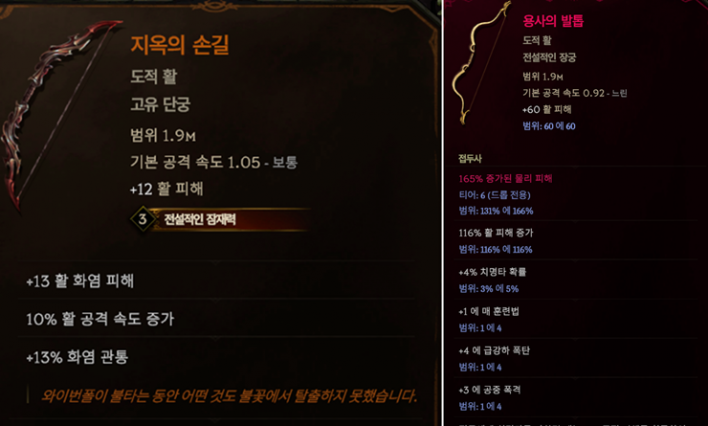
There is a wide variety of item classifications, ranging from brown-named "Unique" items—which feature special stats not found on normal equipment—to "Legendary" items, created by combining a Unique item with an "Exalted (Purple)" item carrying Tier 6–7 affixes.
Rather than equipping an item simply because it has a higher rarity, it is best to judge whether it carries the specific affixes your build needs before putting it on.
5. Crafting
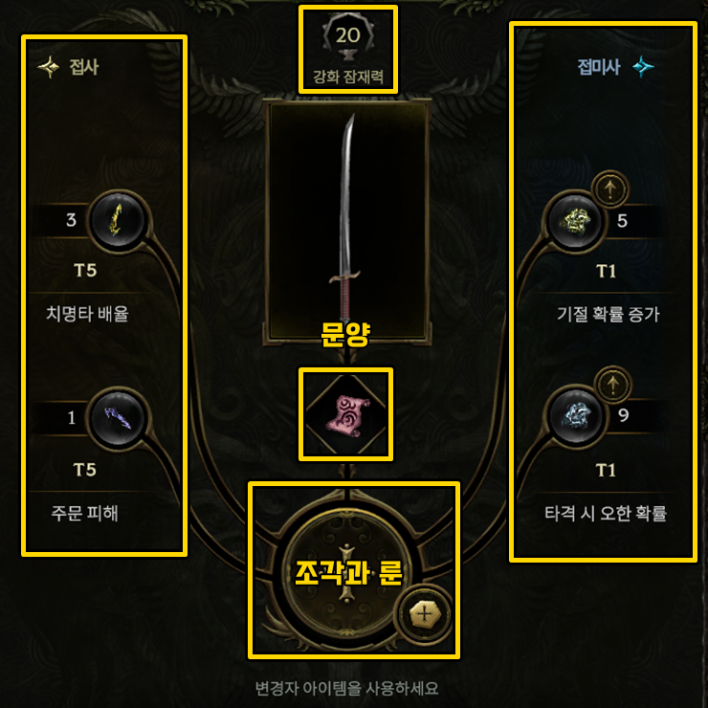
You can upgrade items at any time using prefix and suffix "shards" dropped by monsters. Open the Forge (F) and place an item inside to add missing prefixes or suffixes, or upgrade the tier of existing affixes. Be careful, as you can no longer craft on an item once its "Forging Potential" reaches 0.
Clicking the scroll-shaped slot in the middle allows you to insert "Glyphs," which provide effects such as preventing Forging Potential consumption or sealing an affix. Clicking the large center circle lets you insert "Runes" instead of affix shards to grant special effects, such as transforming an item into a Unique or corrupting it.
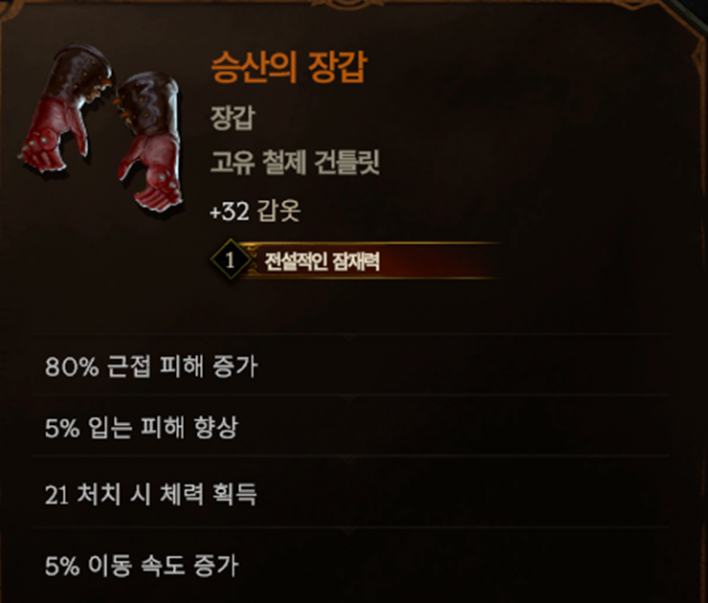
In addition, Unique items possess a property called "Legendary Potential." This value is randomly assigned from 0 to 4; the higher the number, the more affixes will transfer from an Exalted item when combining them into a Legendary item. Legendary items cannot be crafted at the Forge and require a visit to the "Temporal Sanctum" dungeon.
6. World Map and Quests
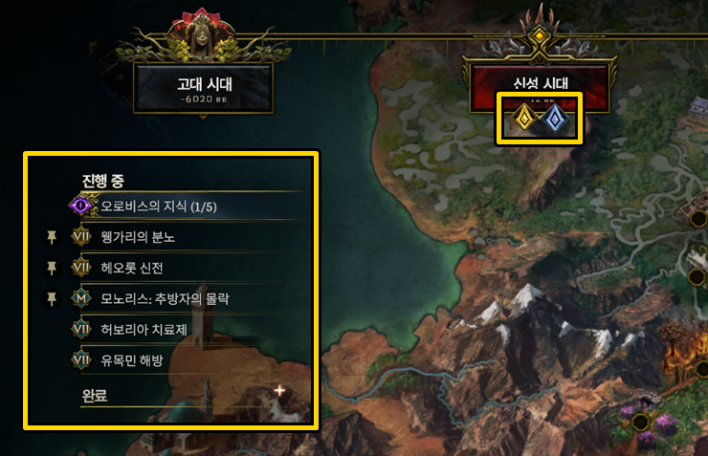
In Last Epoch, you journey across different eras through the campaign, eventually reaching the endgame system known as the "Monolith." With so many locations to visit, it can feel overwhelming, but following the map icons will guide you smoothly. Silver icons represent side quests, while gold icons mark campaign quests. Clicking on a quest under the "In Progress" list on the left will immediately navigate you to that location.
Some side quests reward skill points or extra Idol slots, so skipping them can put you at a significant disadvantage. Opening your inventory (I) reveals a dedicated section to the right of your gear screen for equipping Idols.
7. Loot Filter
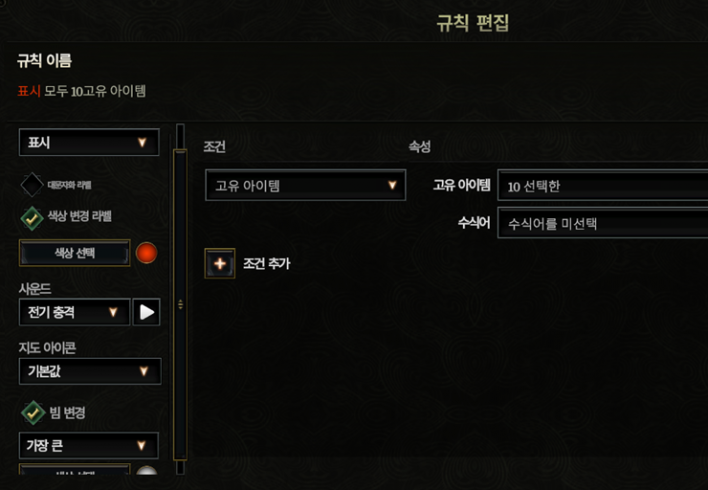
The Loot Filter (Shift + F) allows you to display only the items you need, eliminating the hassle of checking every item on the ground. While not strictly mandatory, setting it up makes for a much smoother gameplay experience. You can filter by item category, level, affixes, faction, class, and rarity, or simply import a Loot Filter created by other players.
You can customize item drop beam sizes, colors, sound effects, and minimap icons, which is great for ensuring you never miss must-have items. Conversely, unwanted items can be hidden by setting visibility to "Hide." Hiding items does not stop them from dropping or remove them from the game; disabling the Loot Filter will show all items normally again, so there is no need to worry.